TCL P6L Review: Features, Picture Quality & Buying Guide
Introduction
Looking for a 4K Smart TV that can handle movies, everyday streaming, sports and casual gaming without making your buying decision complicated? The TCL P6L is worth considering if you want a large-screen entertainment experience with modern smart features.
This TV combines a 4K HDR display, an HVA panel, Dolby Vision, HDR10 and Google TV. It also includes Dolby Audio, Google Assistant, AirPlay 2, Chromecast and gaming features such as ALLM.
But are these features enough to make it the right TV for your home? In this TCL P6L review, we’ll explore its display technology, sound system, smart features, connectivity, available screen sizes and the things you should check before buying.
TCL P6L: Quick Overview
| Feature | Details |
|---|---|
| Model | TCL P6L |
| Series | Premium 4K TV |
| Available Sizes | 43, 55, 65 and 75 inches |
| Panel Type | HVA |
| Resolution | 4K HDR |
| HDR Formats | Dolby Vision, HDR10 |
| Dimming Zones | Not specified |
| Peak HDR Brightness | Not specified |
| Refresh Rate | Not specified |
| Sound System | 2.0-channel |
| Audio Output | 2 × 12W for 43–65-inch models; 2 × 15W for 75-inch model |
| Audio Technology | Dolby Audio |
| Operating System | Google TV |
| Wireless Connectivity | Wi-Fi 5, Bluetooth 5.4 |
| Ports | HDMI 2.1, USB 3.0 |
Specifications and features may vary by screen size and country. Check the exact variant before purchasing.
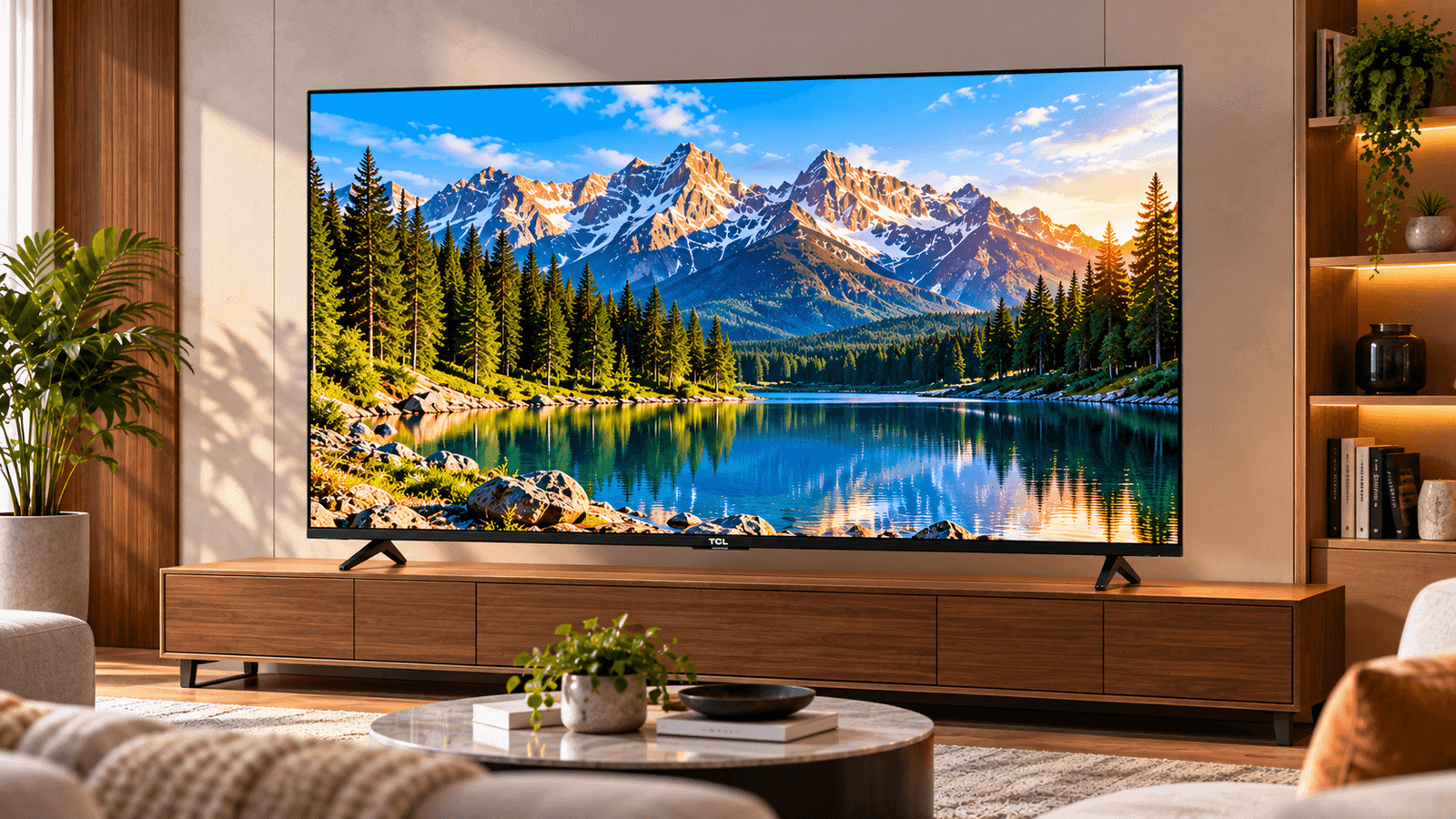
TCL P6L-style television in a modern living room
TCL P6L Review: Panel and Picture Quality
Picture quality is one of the most important things to consider when buying a television. The TCL P6L combines 4K HDR resolution, an HVA panel and support for Dolby Vision and HDR10.
Let’s understand what these features mean for everyday viewing.
1. 4K/UHD HDR Resolution
A 4K television offers a resolution of 3840 × 2160 pixels. That means the screen can display more pixels than a Full HD television, helping compatible content appear more detailed.
The difference can be particularly useful when watching high-quality movies, nature documentaries and other 4K content on a large screen.
However, the result also depends on the quality of the source. Watching lower-resolution content does not automatically provide the same detail as native 4K footage.
HDR, or High Dynamic Range, is designed to improve how brightness and dark areas are represented in compatible content. The actual effect depends on the TV’s display capabilities and the content being played.
2. What Does the HVA Panel Mean?
The TCL P6L uses an HVA panel. This is an important part of the TV’s display technology.
Panel technology influences characteristics such as contrast, viewing angles and how the picture appears under different lighting conditions.
For your buying decision, remember that the panel name alone does not tell you everything about picture quality. Brightness, screen reflections, image processing and the room where you watch TV also matter.
TCL does not specify the P6L’s dimming-zone count or peak HDR brightness in the specifications referenced for this review. Therefore, it would be inaccurate to claim a particular brightness level or local-dimming performance without verifying the exact model.
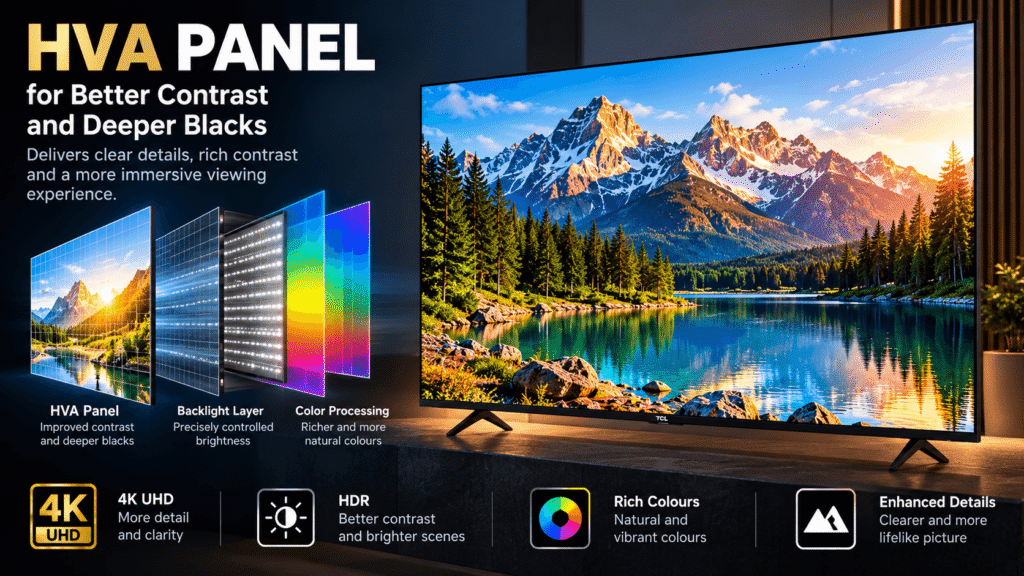
Television panel layers and 4K picture technology
3. Dolby Vision and HDR10 Support
The TCL P6L supports Dolby Vision and HDR10.
Both are HDR formats used by compatible movies and streaming content. Dolby Vision uses dynamic metadata, while HDR10 uses static metadata. The benefit you see depends on the content, the TV’s capabilities and the viewing environment.
For movie lovers, support for these formats can make the TV a useful option for watching compatible HDR content.
Keep in mind that HDR support does not guarantee a specific peak brightness level or identical picture quality across all TVs.
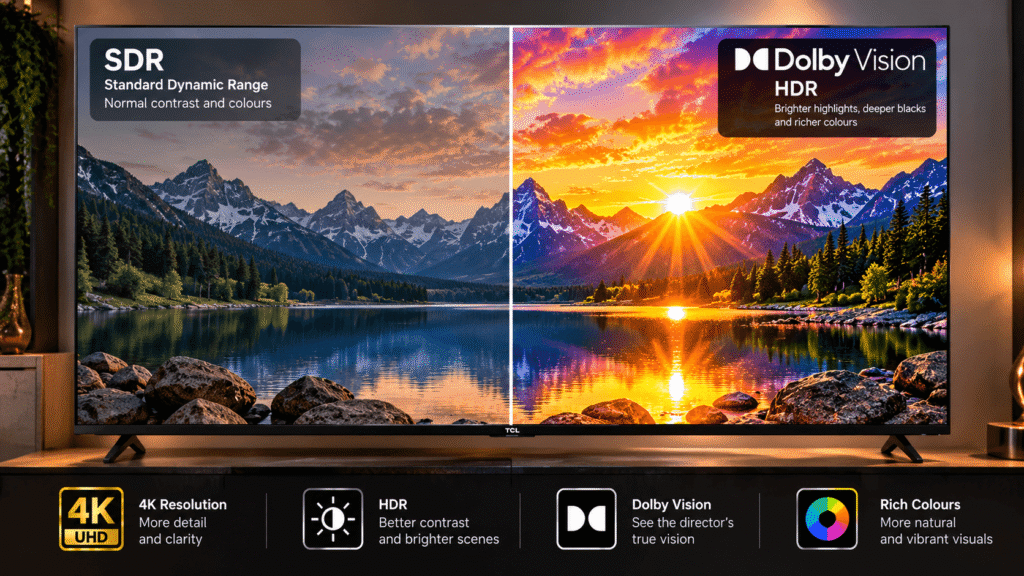
comparison of standard dynamic range and HDR visuals
4. What About Color and Image Processing?
TCL lists TCL Ai among the P6L’s picture-related features. The available specifications do not establish a particular processing performance figure or a measurable improvement in color accuracy.
For a more informed buying decision, look at the TV in person if possible. Check skin tones, dark scenes, subtitles, sports footage and the visibility of details in bright areas.
Also remember that picture settings can make a noticeable difference. A cinema-oriented picture mode may look different from a vivid showroom setting.
TCL P6L Sound Quality
A good picture is only part of the viewing experience. Sound matters when watching films, television shows, sports and online videos.
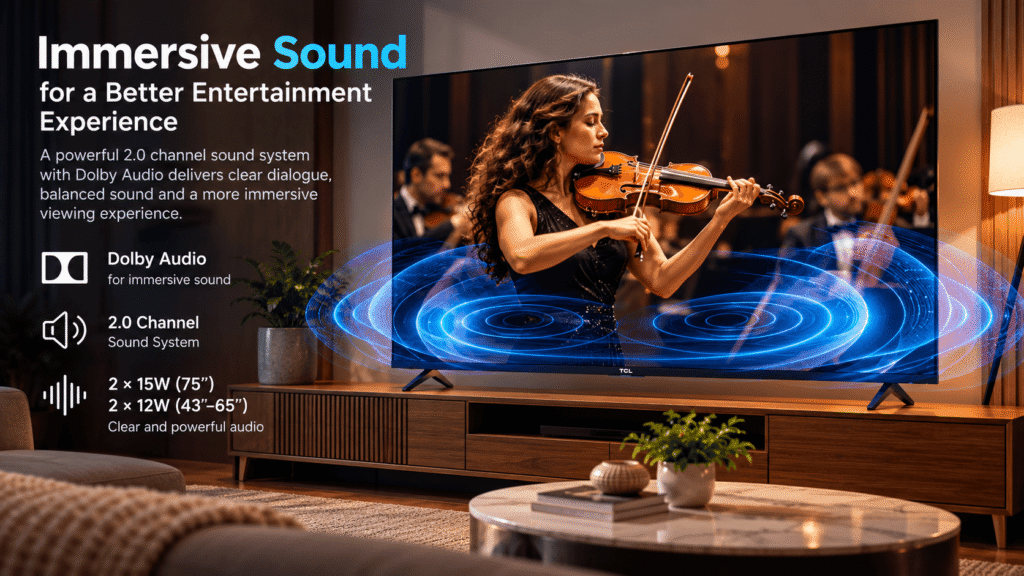
The TCL P6L includes a 2.0-channel speaker system with Dolby Audio.
| Screen Size | Speaker Configuration | Total Rated Output |
|---|---|---|
| 43–65 inches | 2 × 12W | 24W |
| 75 inches | 2 × 15W | 30W |
The listed output gives you an idea of the built-in speaker configuration. Actual sound quality also depends on the room, volume, audio settings and the content being played.
For everyday television, dialogue, online videos and casual entertainment, the built-in speakers may be sufficient for many households.
If you enjoy action movies, want stronger bass or prefer a more cinematic soundstage, consider pairing the TV with a compatible soundbar.
The P6L specifications listed here include Dolby Audio, not Dolby Atmos. Do not assume that the TV supports every advanced surround-sound format simply because it includes Dolby audio technology.
living room television sound experience with speakers and sound waves
Smart Features and Gaming
Google TV
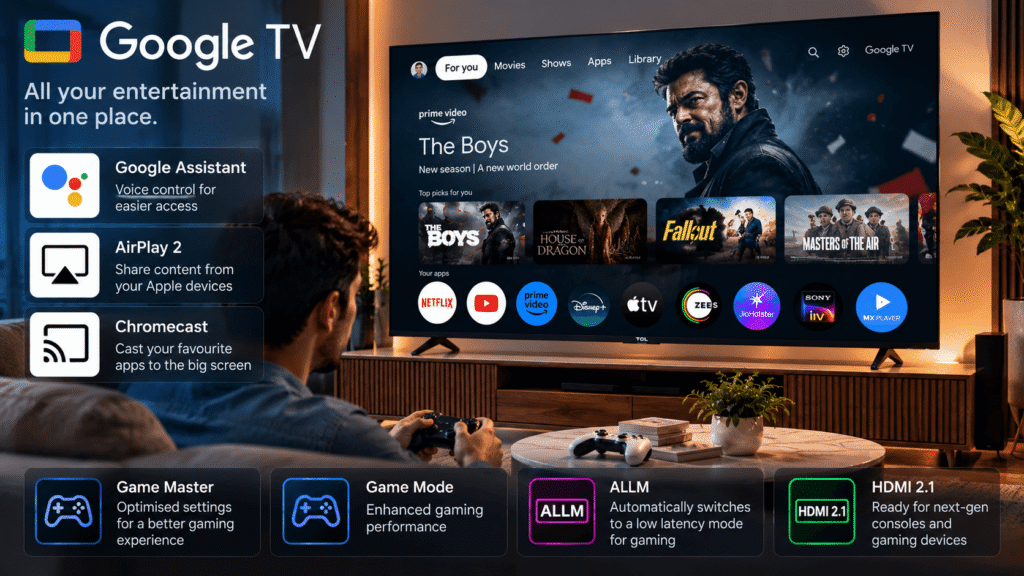
The TCL P6L runs Google TV, giving users a smart-TV interface for browsing compatible streaming services, discovering entertainment and accessing supported apps.
The services available to you may depend on your country, subscriptions and app availability.
Google TV is useful if you want your streaming apps and entertainment recommendations accessible directly from the television instead of relying entirely on an external streaming device.
Google Assistant
Google Assistant support provides voice-assistant functionality. Supported commands and features depend on the setup, software and region.
Chromecast and AirPlay 2
The TV supports Chromecast and AirPlay 2.
These features can help you cast or share supported content from compatible devices. AirPlay 2 is particularly relevant for compatible Apple devices, while Chromecast supports casting from compatible apps and devices.
Compatibility and available functions may vary by device and application.
Gaming Features
The TCL P6L includes Game Master, Game Mode and ALLM, or Auto Low Latency Mode.
ALLM can allow compatible gaming equipment to trigger a lower-latency mode automatically. Game-related settings can also help make the TV more convenient to use with a console.
However, the listed specifications do not confirm a particular refresh rate, VRR support, input-lag measurement or maximum gaming frame rate for the P6L.
If you primarily play competitive games, check the exact model’s refresh rate, supported gaming resolutions and console compatibility before purchasing.
Google TV entertainment interface and gaming setup
Design and Build
A television should fit comfortably into your room, not just look good in a product listing.
The P6L is available in four screen sizes: 43, 55, 65 and 75 inches. This gives buyers options for different room layouts and viewing preferences.
Before buying, measure the space where you plan to place the TV. If you are using a TV cabinet, check its width and the distance between the television’s stand feet. For wall mounting, confirm the compatible mounting specifications for the exact model.
Also consider window placement and lighting. A screen positioned opposite a bright window may be affected by reflections, depending on the room and display finish.
System and Connectivity
Connectivity determines how easily you can connect gaming consoles, streaming devices and other equipment.
| Feature | TCL P6L |
|---|---|
| Smart Platform | Google TV |
| Wi-Fi | Wi-Fi 5, 2.4GHz and 5GHz |
| Bluetooth | Bluetooth 5.4 |
| HDMI | HDMI 2.1 |
| USB | USB 3.0 |
| Casting | Chromecast |
| Apple Device Support | AirPlay 2 |
The specifications listed here do not confirm the total number of HDMI or USB ports, so check the port layout for the exact screen size before buying.
If you plan to connect a console, sound bar, set-top box and streaming device at the same time, port availability is especially important.
TCL P6L Pros and Cons
Pros
- 4K HDR resolution: Suitable for compatible high-resolution content.
- Dolby Vision and HDR10: Supports two widely used HDR formats.
- Google TV: Provides access to a smart entertainment platform.
- Useful connectivity features: Includes Wi-Fi 5, Bluetooth 5.4, HDMI 2.1 and USB 3.0.
- Multiple screen sizes: Available in 43, 55, 65 and 75 inches.
Cons
- Brightness details are not confirmed here: Peak HDR brightness and dimming-zone information are not specified.
- Gaming performance details need checking: The listed information does not confirm refresh rate, VRR or measured input lag.
- Built-in audio may not suit everyone: Buyers wanting stronger bass or a more cinematic soundstage may prefer a separate sound system.
Who Should Buy the TCL P6L?
The TCL P6L may be worth considering if you:
- Want a 4K Smart TV for everyday entertainment.
- Watch compatible HDR movies and streaming content.
- Prefer a television with Google TV.
- Want casting support through Chromecast or AirPlay 2.
- Need a choice of 43-, 55-, 65- or 75-inch screen sizes.
- Play games casually and want features such as Game Mode and ALLM.
Who Should Consider Other Options?
You may want to compare other televisions if you:
- Need verified high peak brightness or advanced local dimming.
- Want confirmed high-refresh-rate gaming or VRR support.
- Expect powerful bass from built-in TV speakers.
- Need a specific number of HDMI ports or other connections.
Compare the exact specifications and prices before making your final decision.
TCL P6L vs TCL P7L
The TCL P7L is another model worth comparing if you are deciding between different TCL television options.
| Feature | TCL P6L | TCL P7L |
|---|---|---|
| Panel Technology | HVA | QLED with HVA panel |
| HDR Formats | Dolby Vision, HDR10 | Dolby Vision, HDR10+ |
| Listed Processing Feature | TCL Ai | TCL Ai + AiPQ Processor |
| Gaming Features | Game Master, Game Mode, ALLM | VRR 144Hz* and DLG 144Hz*; Game Master, Game Mode, ALLM |
| Audio | Dolby Audio, 2.0-channel | Dolby Atmos, DTS Virtual; ONKYO audio system on specified variants |
| Smart Platform | Google TV | Google TV |
| Wireless | Wi-Fi 5, Bluetooth 5.4 | Wi-Fi 5, Bluetooth 5.4 |
| Listed Sizes | 43, 55, 65, 75 inches | 43, 50, 55, 65, 75, 85 inches |
Features marked with an asterisk may depend on screen size or operating conditions. Verify the exact variant.
The P7L lists additional display and gaming features, but that does not automatically make it the better purchase for every buyer. The price difference, screen size, intended use and confirmed specifications should all influence your decision.
Choose the P6L if its features meet your needs and the price is right. Consider the P7L if its additional listed features are relevant to your viewing or gaming requirements.
Which TCL P6L Screen Size Should You Choose?
43-Inch
A 43-inch TV may suit a bedroom, a compact living room or a smaller viewing area. It can be a practical choice if you have limited wall or cabinet space.
55-Inch
A 55-inch TV can be a balanced option for many living rooms. It offers a larger viewing area without requiring as much space as the bigger variants.
65-Inch
A 65-inch screen is worth considering if you have a larger room and want a more immersive movie or sports experience. Check the viewing distance and available wall or cabinet width before choosing it.
75-Inch
The 75-inch variant is intended for buyers who want a very large screen. Make sure your room layout allows comfortable viewing and that your TV unit or wall-mount setup can accommodate the television safely.
T&C
These are general guidelines rather than strict rules. Your room layout, eyesight, content and personal preference also matter.
Frequently Asked Questions
1. Is the TCL P6L a 4K TV?
Yes. The TCL P6L is listed as a 4K HDR television. It also supports Dolby Vision and HDR10. The picture you see will depend on the content, display settings and the capabilities of the specific screen-size variant.
2. Does the TCL P6L support Dolby Vision?
Yes. Dolby Vision is listed among the P6L’s supported HDR formats, along with HDR10. To benefit from HDR, you need compatible content and an appropriate playback setup.
3. Does the TCL P6L support gaming features?
Yes. Its listed gaming features include Game Master, Game Mode and ALLM. However, refresh rate, VRR support and measured input lag are not confirmed in the specifications used for this review. Check these details if gaming is your main priority.
4. Which screen sizes are available for the TCL P6L?
The listed screen sizes are 43, 55, 65 and 75 inches. Availability can vary by market, so confirm the size and model number with the seller before ordering.
5. Is the TCL P6L worth buying in India?
It may be worth considering if you want a 4K HDR television with Google TV, Dolby Vision, Dolby Audio and modern connectivity features. Whether it offers good value depends on its current price, the exact variant and the alternatives available at the time of purchase.
Final Verdict
The TCL P6L review comes down to what you expect from your next television. Its listed combination of 4K HDR, Dolby Vision, HDR10, Google TV, Dolby Audio, and useful connectivity makes it a model worth considering for everyday home entertainment. The four screen sizes also give you flexibility when planning your setup. However, buyers who prioritise high-refresh-rate gaming, advanced backlighting, or detailed HDR performance should verify those capabilities before purchasing. Compare the latest price for your preferred size, check the warranty, and make sure the features match your needs.
Before purchasing, verify the exact screen-size variant, current price, port count and any gaming or brightness specifications that matter to you. Comparing it with the TCL P7L and other televisions in the same price range will help you make a more informed decision.
Affiliate Disclosure: This post contains affiliate links. We may earn a small commission at no extra cost to you.
Please read my most liked Blog: How to Set Up a YouTube Studio at Home: The Complete Beginner-to-Pro Equipment Guide